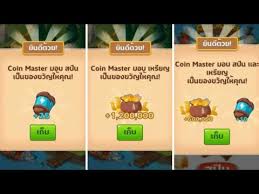
Coin Master Free Spin Links: When They Expire and Why They Fail
Coin Master free spin links from official channels have a limited lifespan. They usually work for a few days after being posted, and each link can only be claimed once per account. If a link gives you nothing, the most common reasons are that it has expired, you have already claimed it, you opened it inside a chat app that doesn't pass it on to the game, or the game on your phone hasn't been updated. The fix is to tap the newest links first and open them in your phone's main browser on the phone where you are logged in to the game.
Where Do Coin Master Free Spin Links Come From?
Genuine links for spins and coins come from Moon Active, the developer of the game, which posts them regularly on its official social channels. Fan sites like this one (which is not part of Moon Active) collect those links in one place so you don't have to hunt for them yourself. When you tap a link, the game checks it and adds the reward to the account logged in on that phone.
If you want to know about other ways to get free spins besides links, read every safe and legit way to get Coin Master free spins.
When Do Free Spin Links Expire?
Official links don't last forever. Each link only works for a certain period, and there is no fixed expiry date announced for every link. In practice, newly posted links are the most likely to work, while links posted several days ago are more and more likely to have expired.
- Always tap today's links first, then go back to the links from previous days.
- Don't save links for later. The longer you wait, the more likely they are to expire.
- Be careful with forwarded links. If a link didn't come from an official channel or a site that collects official links, it may be fake.
Why are there fewer new links on some days?
The number of links released each day varies and is up to the game's developer. Some days there may be several links, other days only a few. Fan sites can't create links themselves; they can only collect the links that have actually been released. If a site claims to have an unusually large number of spin links every single day, be careful: they may be duplicates, expired links or fake links.
Tapped a Link but Got No Spins? Here's Why
| What happens | Possible cause | Fix |
|---|---|---|
| The game says the reward has expired | The link is past its valid period | Move on to a newer link |
| The game says you already collected it | This account has already claimed that link | Each link works only once, so move on to the next one |
| A web page loads and hangs instead of opening the game | It opened in a chat or social app's built-in browser | Choose to open it in your phone's main browser |
| The link takes you to the app store | The game isn't installed on this phone, or it needs an update | Install or update it from the official store, then tap the link again |
| The game opens but no reward shows up | Unstable internet, or the game hasn't finished loading | Let the game load fully, check your connection, then tap the link again |
| The reward went to the wrong account | Another account is logged in on the phone | Check which account is logged in before tapping the link |
How to Make Free Spin Links Work Every Time
- Use the phone that has the game installed. The link has to open the game on that same device to add the reward. Tapping it on a computer usually won't add anything to the game on your phone.
- Make sure the right account is logged in, especially if you have switched accounts before or just moved to a new phone. Connecting your game to Facebook makes it easy to keep the right account on every device.
- Update the game to the latest version from Google Play or the App Store.
- Open the link in your main browser. If tapping it in a chat app doesn't jump into the game, use the "open in browser" option or copy the link and paste it into your browser.
- Tap one link at a time. Wait for the game to show the reward before going back for the next link. Tapping lots of links in a row very quickly may cause some of them not to be processed.
Quick checklist before you tap a link
- The game is installed on this phone and your account is logged in.
- The game is updated to the latest version.
- Your internet connection is working normally.
- You are tapping a link you haven't tapped before, and it is the newest one.
If all 4 are true and you still can't claim the reward, it usually means the link has expired. Just move on to another link; there is no need to delete or reinstall the app.
Watch Out for Fake Links and Scam Sites
Real free spin links take you straight into the game. They never ask for your password, never make you download a file and never ask for personal details. If you see any of these, close the page right away.
- Sites asking for your Facebook password or email in exchange for spins
- Sites that ask for your username and claim they will generate unlimited spins
- Links that make you install an extra app or APK file before you get the reward
- Links that make you fill in long surveys or enter your phone number
Read the full guide to protecting your account in Coin Master spin generator scams and how to protect your account.
Frequently Asked Questions
How many times can I use a free spin link?
Each link can be claimed once per account. If you tap it again, the game will tell you that you have already collected that reward, but you can still tap any other link that hasn't expired.
Do old links from several days ago still work?
Some may still work, but the older a link is, the more likely it has expired. Tap the latest links first, then try older ones if you haven't tapped them yet.
Can I tap the links on a computer?
In general, you should tap them on the phone where the game is installed, because the link needs to open the game to add the reward to the account on that device.
Does every link give the same reward?
Not always. Each link may give spins, coins or both, in different amounts. The game shows you the reward once you have claimed it successfully.
Summary
Coin Master free spin links have a limited lifespan and can be claimed only once per account. If a link doesn't work, check whether it has expired or you have already claimed it, open it through the main browser on the phone where you are logged in, and keep the game updated. The easiest approach is to tap the new links every day before they expire, and you can find them all at today's Coin Master free spin links on our home page.